
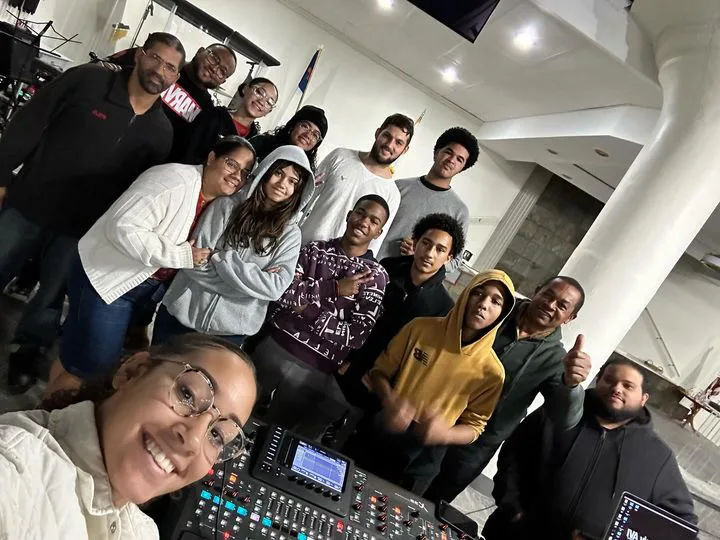
New Volunteers Who Just Got Handed the Controls
Give new volunteers a structured introduction to the system — how it is laid out, what each piece does, and how to run a service without guessing.
Heavenly AVI
Church A/V training
Hands-on training for church volunteers and staff using the actual audio, video, livestream, and presentation setup in your room.
Quoted per project — reach out for a free estimate.
Who it fits
Give new volunteers a structured introduction to the system — how it is laid out, what each piece does, and how to run a service without guessing.
After an installation or upgrade, training helps the team understand the new setup and move into weekly operation with less trial and error.
If the same problems come up week after week — feedback, wrong outputs, incorrect routing — training can address the root cause instead of just fixing it each time.
When production responsibility rotates between volunteers or part-time staff, training gives the whole team a shared foundation to work from.
Sound like your team? Training is built around your actual setup and the specific Sundays that keep going sideways.
Get a Training QuoteYour team learns what to touch, what to leave alone, and how to move through service without guessing.
Recurring issues become teachable patterns, so the team can prevent problems instead of reacting mid-service.
New operators get a practical foundation that makes future coaching and rotation easier for everyone.
What we cover
Gain and channel setup, input routing, mix bus structure, monitor sends, and how to build a working mix — tailored to your specific console model.
Slide setup, output configuration, stage display, video handling, and how to build services that run smoothly with fewer mid-service surprises.
Audio routing into the stream, encoder settings, camera switching, and how to make the online service reflect what is happening in the room.
Understanding how audio and video move through the system so volunteers can troubleshoot problems instead of restarting equipment and hoping for the best.
Walk through the specific gear in your room — what it does, how it connects, and how to operate it correctly during a live service.
How it works
Every training session is built around the specific system your church uses and the areas where your team needs the most help.
Step 1
Share your church setup, team size, and the areas where training would help most. We will follow up to understand the full picture.
Step 2
We review the system, the team, and the training goals, then provide a clear quote and session plan.
Step 3
We run the session at your location using your actual equipment. Training is hands-on and built around how your team will use the system each week.
Step 4
After the session we provide any follow-up notes and recommend whether additional sessions, support, or system changes would help the team stay on track.
Certifications and training
Focused credentials in system design, networked audio, measurement, and advanced audio training help keep recommendations grounded in real weekly use.




In their words
[Testimonial — describe the specific gap the church had before training and the confidence or consistency improvement after.]
FAQ
Reviewed for accuracy by Heavenly AVI. Last updated April 27, 2026. These are the questions churches most often ask before scheduling a training session.
Training is quoted per project based on the system, team size, and scope of the session. Reach out with your situation and we will provide a clear quote.
Most sessions run 2–4 hours depending on the scope. Multi-topic or larger-team sessions may span a full day or require multiple visits.
Yes. Post-installation training is one of the most common uses. The team gets hands-on time with the new system before taking over weekly operation.
Yes. Training is built around the specific gear in your room — console model, software version, and system layout — rather than generic instruction.
Follow-up sessions can be scheduled as needs change. New volunteers, system upgrades, or recurring mistakes are common reasons for additional training.
Request form
Share your team size, current setup, and the areas where training would help most.
Send your request and we will confirm receipt by email.
We only use your information to respond to your request.